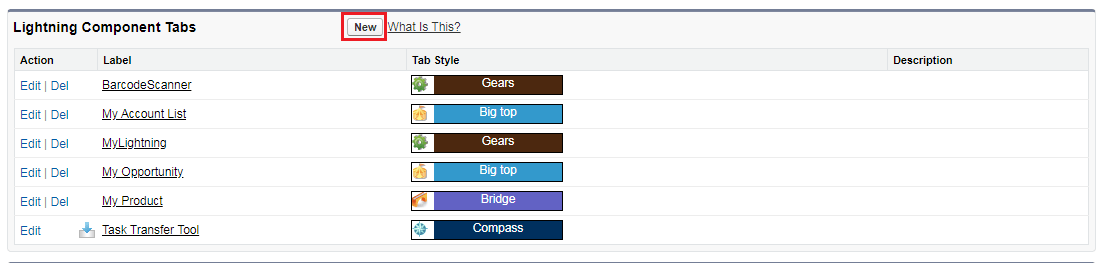
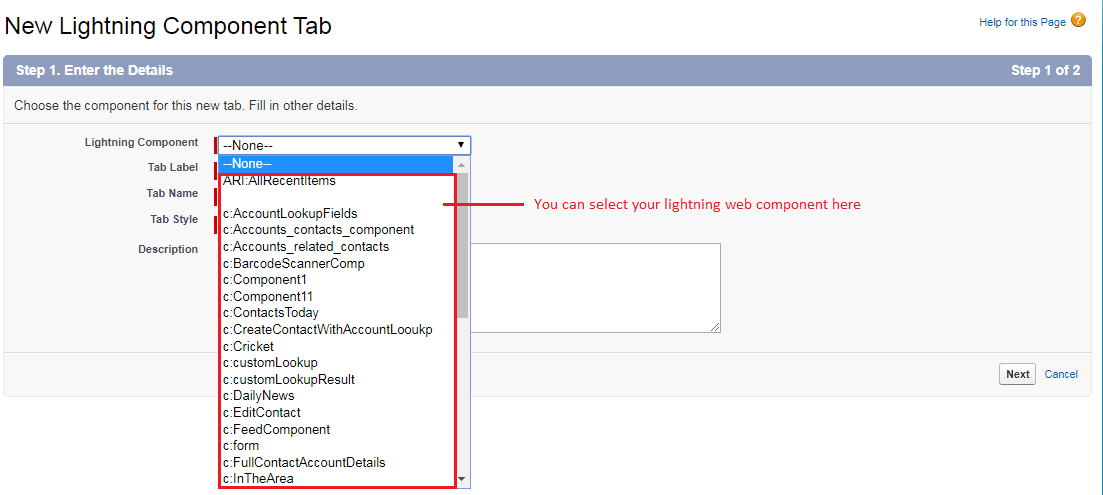
We can use the lightning web component in the custom tab( in lightning experience and salesforce mobile app) with the winter 20 release.
If you have created a lighting web component you know that there is a configuration file that represents the metadata values for the component. To allow the lighting web component to be used in the lightning app builder we need to set “isExposed” to TRUE. Adding “lightning__Tab” to target will allow using lwc in the custom lighting component tab.

This file contains hidden or bidirectional Unicode text that may be interpreted or compiled differently than what appears below. To review, open the file in an editor that reveals hidden Unicode characters.
Learn more about bidirectional Unicode characters
| <?xml version="1.0" encoding="UTF-8"?> | |
| <LightningComponentBundle xmlns="http://soap.sforce.com/2006/04/metadata" fqn="HelloCustomer"> | |
| <apiVersion>47.0</apiVersion> | |
| <isExposed>true</isExposed> | |
| <targets> | |
| <target>lightning__AppPage</target> | |
| <target>lightning__RecordPage</target> | |
| <target>lightning__HomePage</target> | |
| <target>lightning__Tab</target> | |
| </targets> | |
| </LightningComponentBundle> |
Goto -> Setup -> Quick Find -> search “tab” -> click on tab