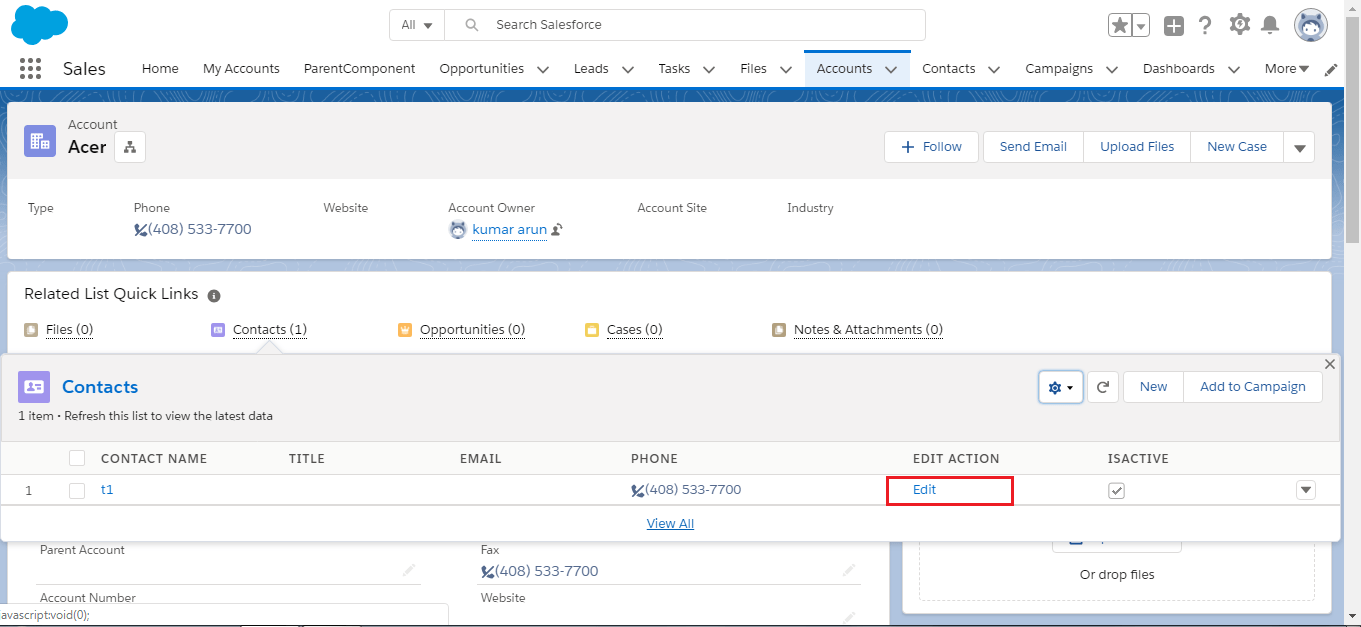
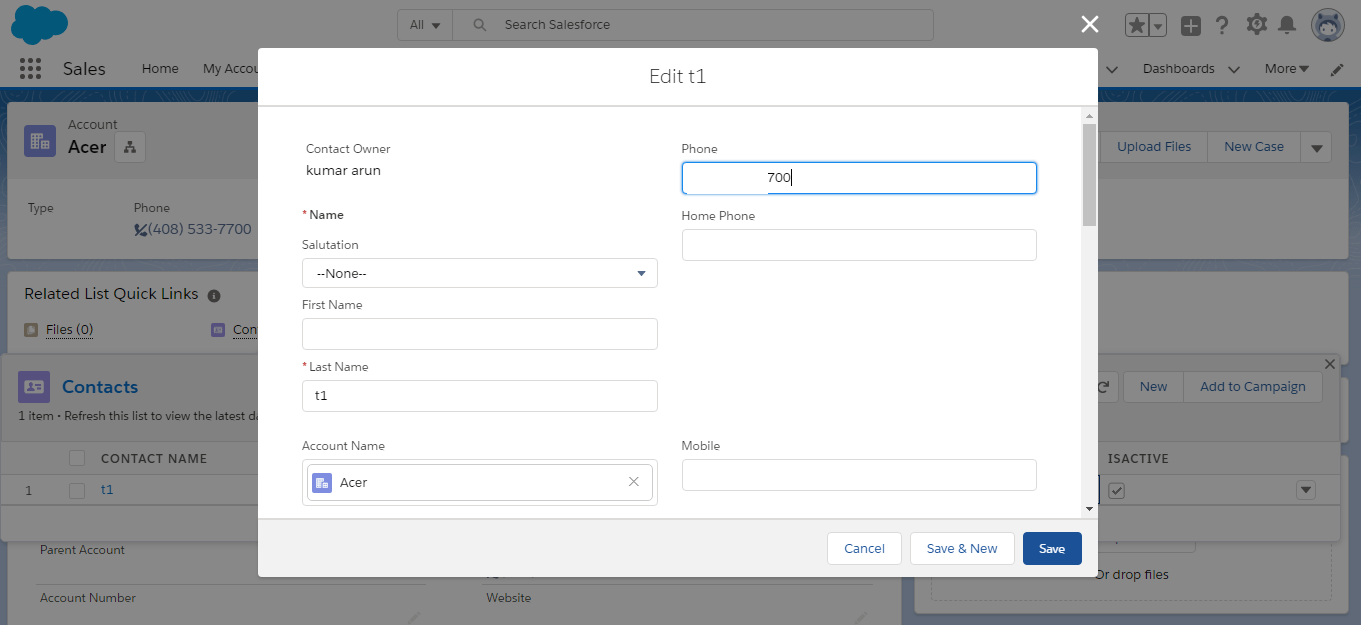
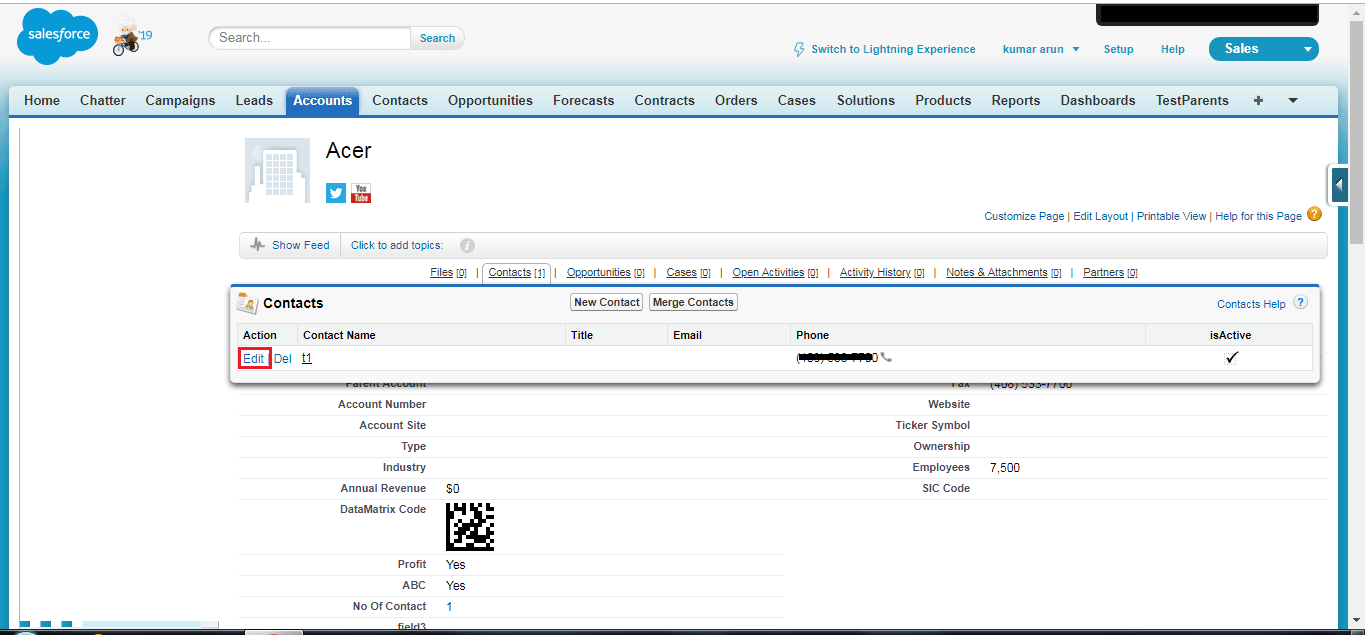
On the Account page, we have the ‘Edit’ action on the related Contact list in Salesforce’s classic user interface as shown in the screenshot below.
But if you see the same in the Lightning experience user interface, the user first needs to click on the ‘drop down’ button icon then they can see the ‘Edit’ action option and from there they can click on the ‘Edit’ action.
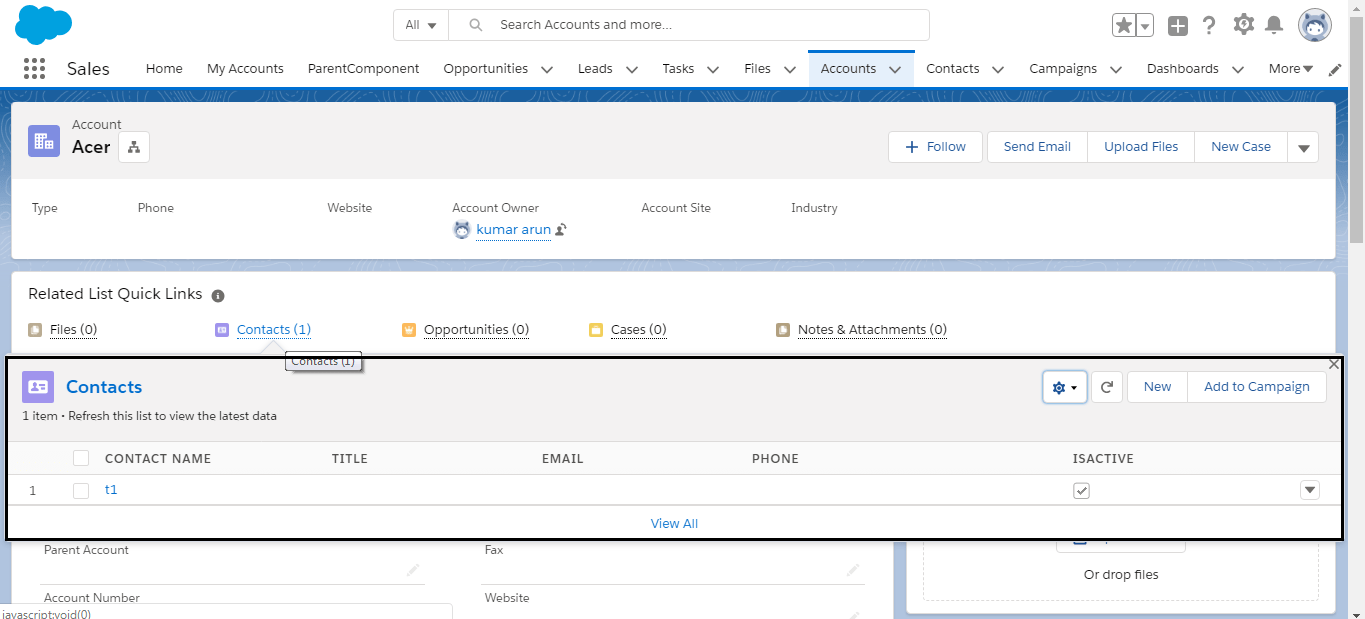
In the Lightning user interface, the user needs to do an extra click to do the same as they were doing in a single click in Salesforce classic user interface.
I have solved the issue with a workaround (a field and URL hack) in one of my projects.
Create a formula field on the Contact object with the return type as Text.
Formula:
HYPERLINK(
“https://[custom domain].my.salesforce.com/” & Id & “/e?retURL=https://[custom domain].lightning.force.com/lightning/r/”
& AccountId & “/related/AccountContactRelations/view?0.source=alohaHeader” ,”Edit”)
Add the created field in the Account (Contact Related list) page layout.
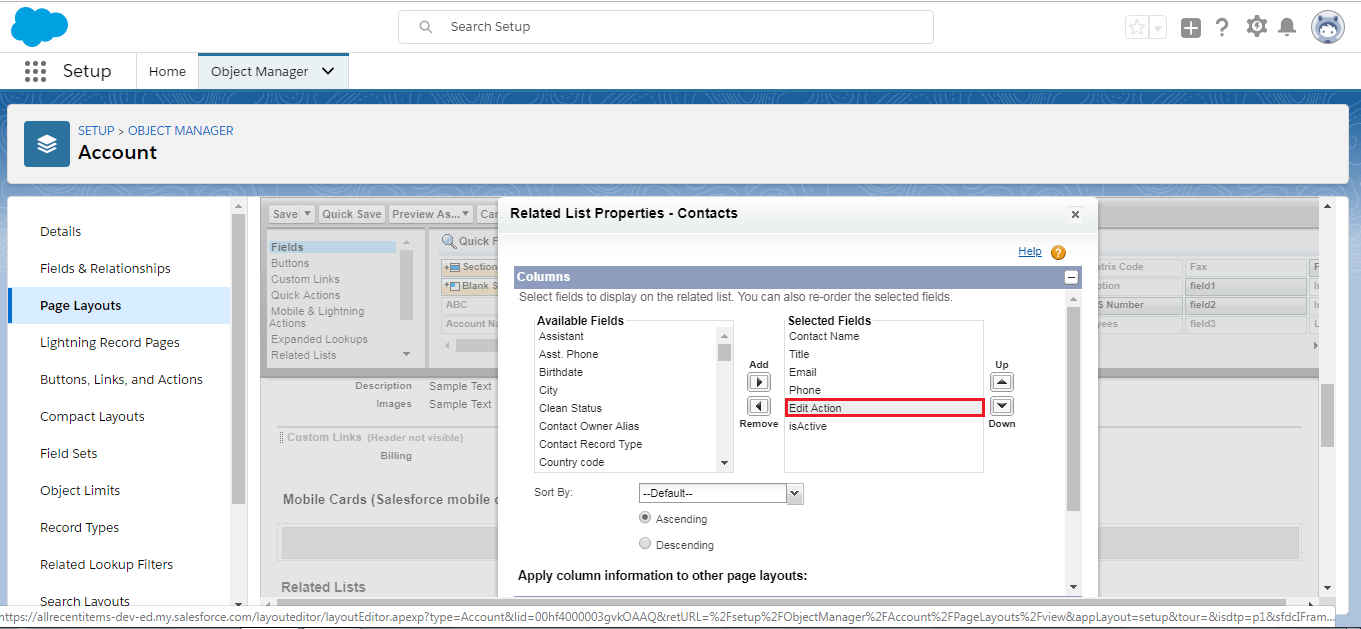
Result: